The short answer
Most children play without any issue. The signs that matter are distress when asked to stop, losing interest in other things, disrupted sleep, and play that continues despite problems at school or home. To keep play healthy, set time limits in Family Link or in the game7, agree screen-free windows like meals and bedtime, and keep talking about how a game makes them feel, not just how long they play.
- What is gaming disorder?
- Impaired control over play, prioritising gaming above other interests, and continuing to play despite it causing problems.
The scale in the UK
Recent UK figures put it in perspective:
- 1 in 311 to 16-year-olds report playing online games for four or more hours a day, often late into the night31
- 9%of UK adolescents, by one estimate, show symptoms consistent with "gaming disorder"31
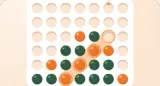
Each figure stands for 1 in 10 young people.
- 52%rise in children's screen time between 2020 and 2022, with nearly a quarter using their phones in a way consistent with behavioural addiction32
Key facts
Free to quote, with a link to this page
- 1 in 3
UK 11 to 16-year-olds report playing online games for four or more hours a day, often late into the night31.
Source: SSS Learning
- 9%
of UK adolescents, by one estimate, show symptoms consistent with gaming disorder31.
Source: SSS Learning
- 52%
rise in children's screen time between 2020 and 202232.
Source: UK Parliament Education Committee
Why games are hard to put down
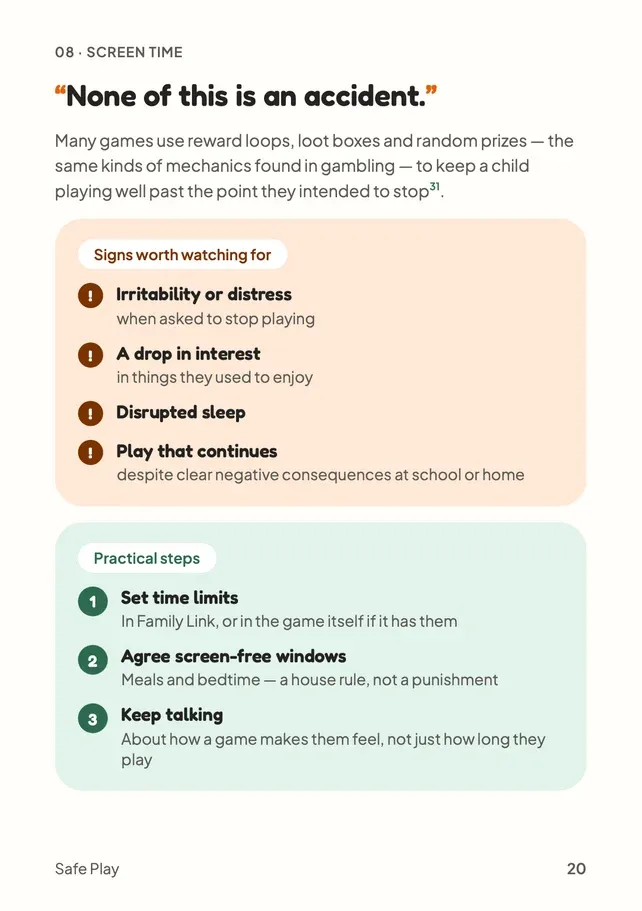
None of this is an accident. Many games use reward loops, loot boxes and random prizes, the same kinds of mechanics found in gambling, to keep a child playing well past the point they intended to stop31.
Reward loops
Small, frequent rewards that make "one more go" feel natural.
Unpredictable rewards
Loot boxes and surprise prizes: not knowing what comes next is what makes them hard to walk away from.
Signs worth watching for
- Irritability or distress when asked to stop playing
- A drop in interest in things they used to enjoy
- Disrupted sleep
- Play that continues despite clear negative consequences at school or home
Calm One sign, on a bad day
Normal. Most children play without any issue.
Watch A pattern
Worth a calm conversation, and a look at limits together.
Act If you're worried
Your GP is a good place to start.
Healthy play in 3 steps
Set time limits
In Family Link, or in the game itself if it has them7.
Where to find it: Family Link, Screen time, Time limits, Schedules
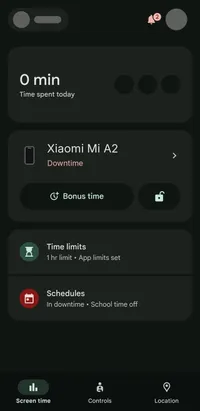
- Screen time tab. Pick your child first, then everything below lives here.
- Time limits: how much they can use the device each day.
- Schedules: when it's off, like Downtime overnight, plus School time.
Real screen from our own Family Link app, checked 15 October 2026. Names and photos hidden. Agree screen-free windows
Meals and bedtime. A house rule, not a punishment.
Keep talking
About how a game makes them feel, not just how long they play.
Myth vs fact
What parents often hear, checked against the sources
Myth
“Hours played is the only thing to watch.”
Fact
Watch for the signs too: distress when asked to stop, losing interest in other things, and disrupted sleep. By one estimate, 9% of UK adolescents show symptoms consistent with gaming disorder31.
The most important part
Struggling to stop isn't a lack of willpower. The game is built that way.
If your child melts down when it's time to stop, it doesn't make them badly behaved. Reward loops are designed to keep anyone playing, adults included.
Try a five-minute warning, and a plan for what comes next, instead of a sudden switch-off. And talk about the pull itself, so your child learns to notice it.
Talking about screen time
A few easy ways in:
How does this game make you feel when you stop?
You'll learn more than any activity report can show.
Let's agree when games are on and off, together.
Rules children help make are rules they understand.
What's the hardest part about putting it down?
Naming the pull helps them notice it next time.
Put it into practice
Actions you can take now
Everything this chapter covers, as a short to-do list you can work through now, while it's fresh.
Quick wins, a few minutes each. Tick them off as you go.
0 of 4 done
Common questions
How much gaming is too much for a child?
Gaming itself isn't the problem: most children play without any issue. Watch for distress when asked to stop, losing interest in other things, disrupted sleep, and play that continues despite problems at school or home.
How many UK children play games for four hours a day?
Nearly 1 in 3 UK 11 to 16-year-olds report playing online games for four or more hours a day, often late into the night31.
What is gaming disorder?
Impaired control over play, prioritising gaming above other interests, and continuing to play despite it causing problems. By one estimate, 9% of UK adolescents show symptoms consistent with it31. If you're worried, speak to your GP.
How do I set a time limit on my child's Android device?
Use Google Family Link to set daily time limits and schedules on your child's device7, or use the game's own limits if it has them.
Why are games so hard to stop playing?
Many use reward loops, loot boxes and random prizes, the same kinds of mechanics found in gambling, to keep children playing past the point they meant to stop31.
Sources
- Google For Families Help, Set app time limits on your child’s device · support.google.com
- SSS Learning, Gaming Addiction: Supporting Children at Risk (citing Children’s Commissioner and Gambling Commission data) · ssslearning.co.uk
- UK Parliament Education Committee, Screen time: impacts on education and wellbeing · publications.parliament.uk
Page updates
- Chapter 08 published as its own page, with a real Family Link screen checked on 15 October 2026.